

🌐 Purchasing additional traffic for VDS
- Traffic – an item in the “Categories” section displayed when creating a new service. Purchasing it increases your available traffic if the basic limit is not enough.
- Purchasing traffic:
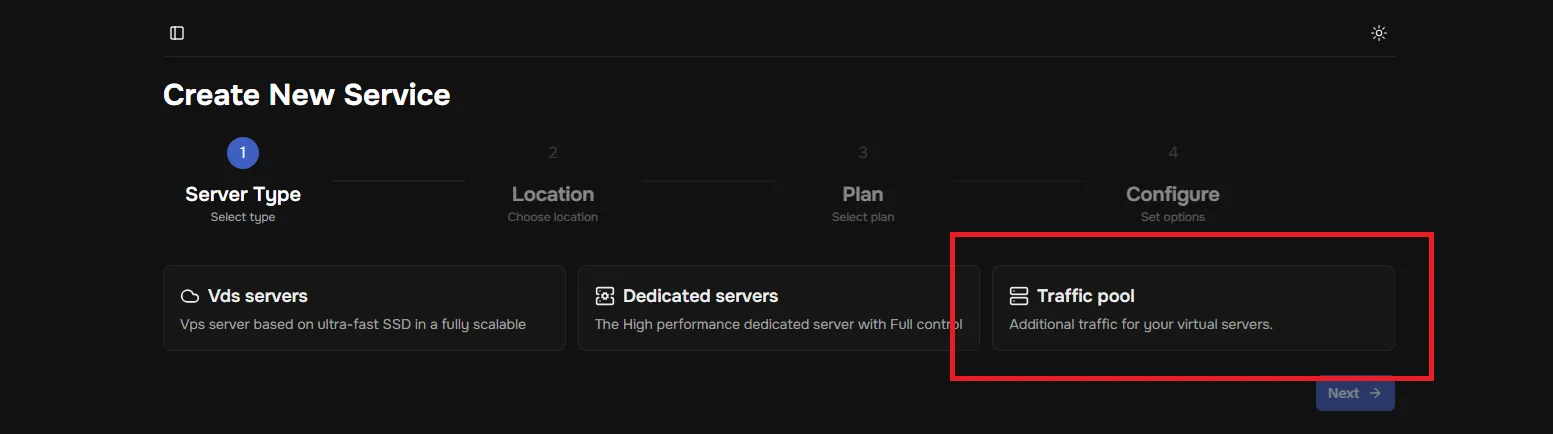
- Go to “Order a new service”
- Select “Traffic pool”
- Choose “Traffic”
- Select the amount of traffic you need.
- Complete the payment.
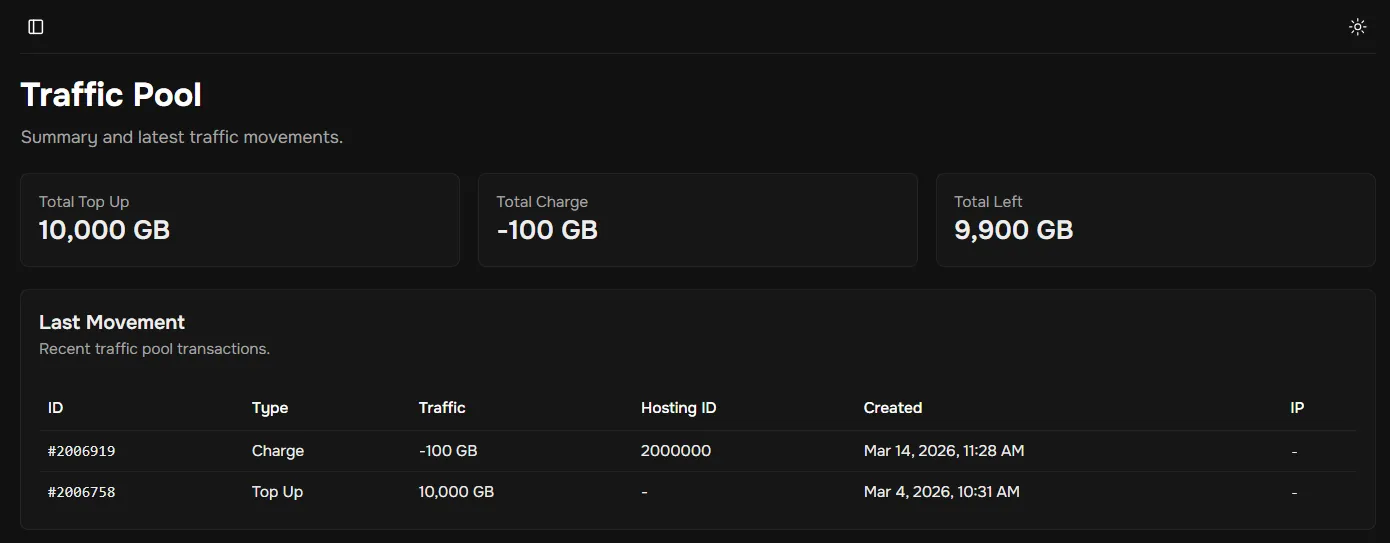
- The additional traffic you purchased will appear in the “Traffic pool” tab. It displays:
- “Total Top Up” – the amount of traffic you purchased,
- “Total Charge” – the amount of traffic you have spent,
- “Total Left” – the remaining amount of traffic available to assign to services. You can also view a report of all traffic movements in “Recent movements.”
- Assigning traffic to a service:
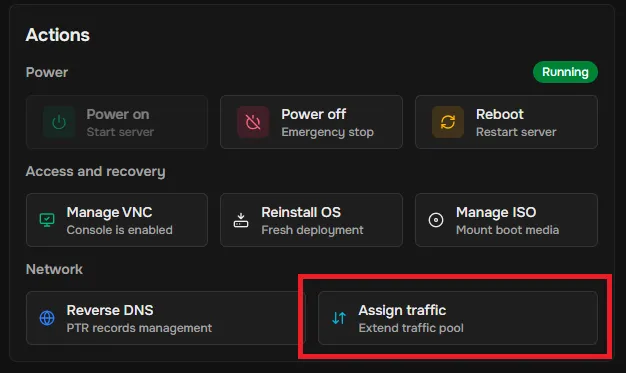
- In the “My Services” tab, select the desired service by clicking “View details.”
- In the “Network” block, click “Assign traffic”
- In the new block, specify the amount of traffic you want to assign.
- Confirm the action by clicking “Assign traffic”
- If successful, you will receive a notification: “N GB traffic assigned”