

📀 ISO mounting
To mount or unmount an ISO image:
- Go to the My Services section in the left panel.
- Select the desired server and click View details.
- The detailed service page will open.
Mounting an ISO Image
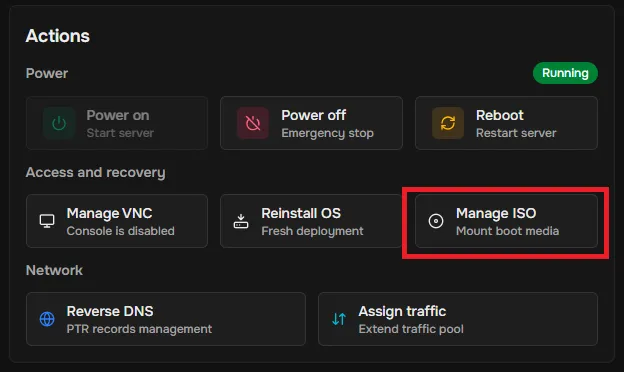
- Open the management menu On the service page, find the Access and recovery block and click Manage ISO.
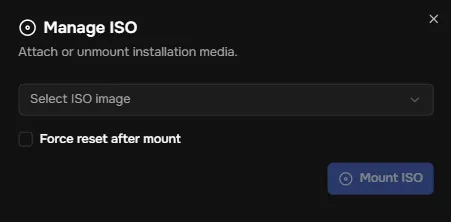
- Select an ISO image In the Manage ISO window, choose the desired ISO file from the dropdown list. Optionally, check Force Reset after mount if you want the server to reboot and boot from the ISO.
- Attach the ISO Click Mount ISO. A notification will appear: ISO mounted.
- Verify the result The Manage ISO section will now show information about the mounted ISO, and the Unmount ISO button will become available.
Unmounting an ISO Image
- Go to the management menu In the Manage ISO section, click Unmount.
- Wait for confirmation Once the process completes, you will see the message: ISO unmounted