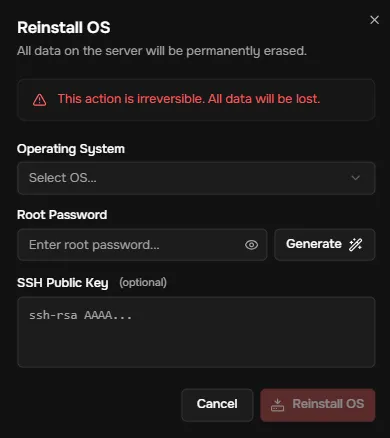
♻️ Operating System reinstallation
- Operating System reinstallation – an automated process of installing a new operating system that completely deletes all user data:
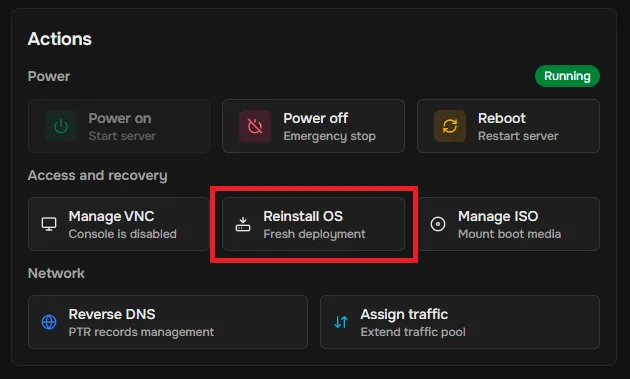
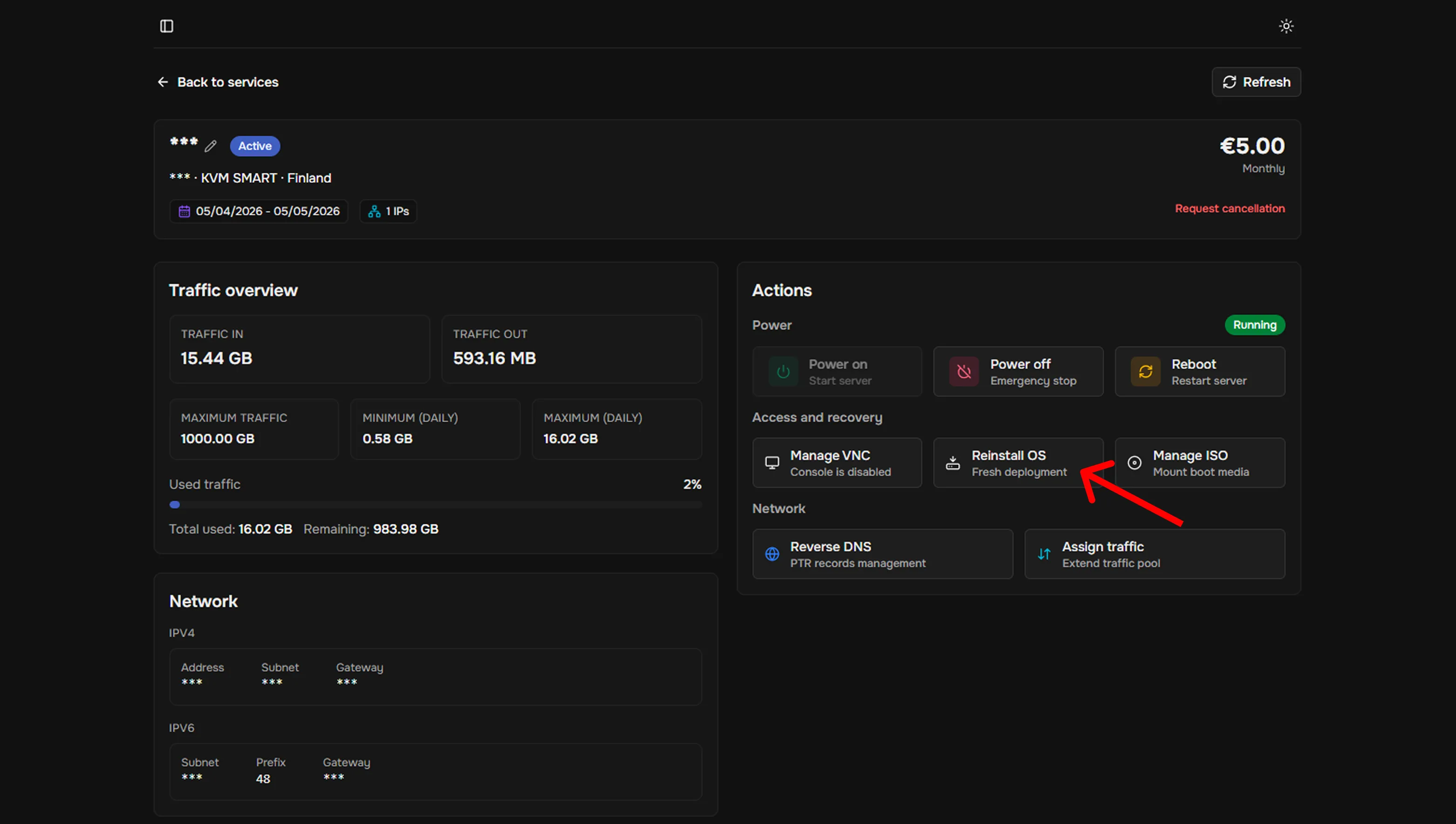
- Click the “Reinstall OS” button in the “System management” block on the “Service details” page In the “My Services” tab.
- Select the operating system from the available list.
- Set a password or generate a random one using the corresponding button.
- (optional) Insert your public SSH key.
- Confirm the action by clicking the corresponding button.
- You will receive a notification in the upper-right corner indicating that the OS reinstallation process has started; the power status will also change. Wait until the procedure is complete before continuing to use the service.