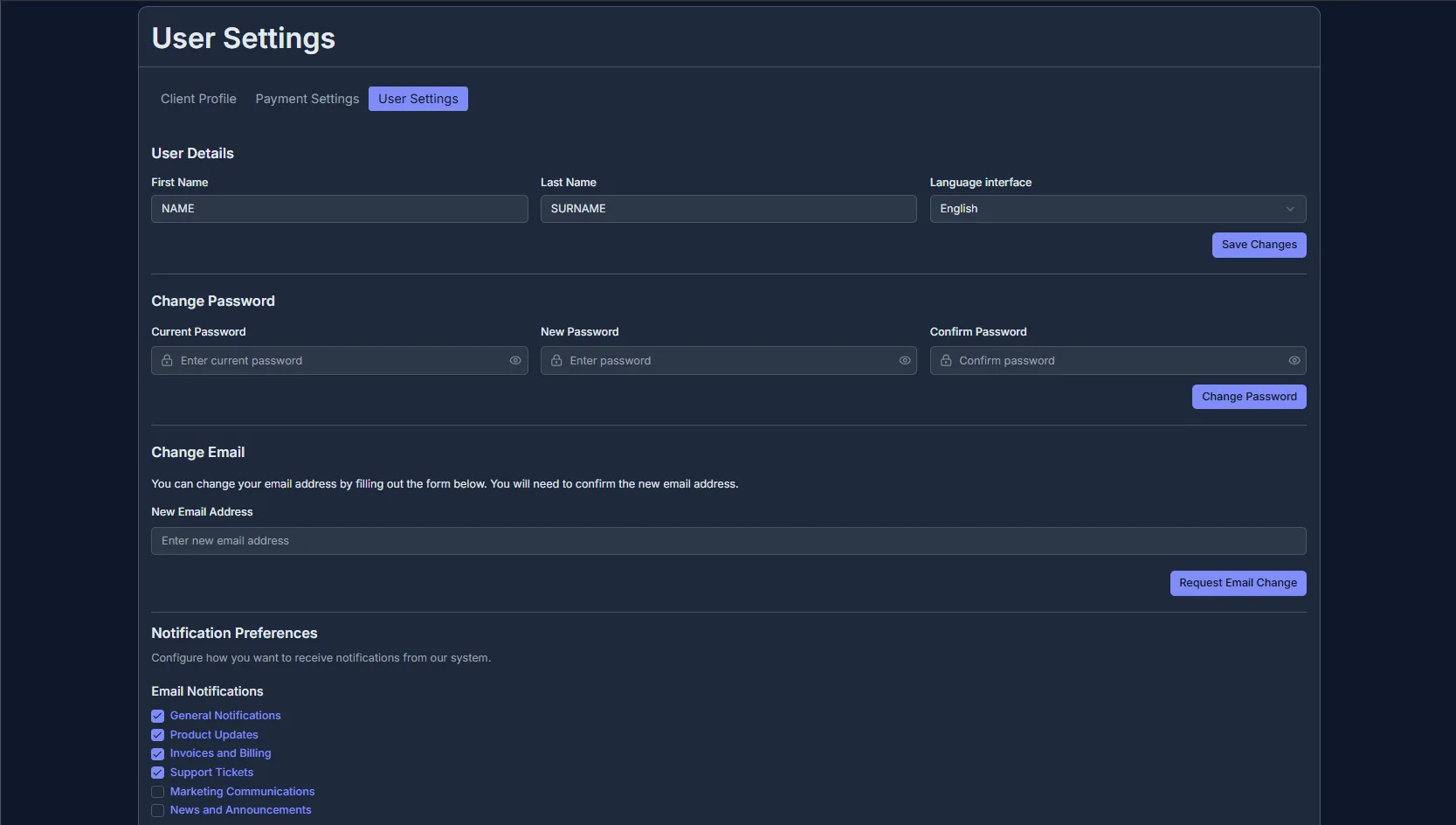
✨ Changing profile, password, email, and preferences
- Profile editing
- First name, last name – enter accurate information.
- Language – select your preferred language.
- (optional) Company name – enter the name of your organization.
- Country – select your country of residence from the list or use the search function.
- (optional) Postal code, city, address – fill in these fields with real information.
- (optional) Phone – enter your current mobile phone number in international format.
- Check and make sure all the new data is correct.
- Click the “Save changes” button.
- The data will be updated and displayed in your profile.
- Client users: a block with the list of users, their main information, and the status showing whether the user is the main one.
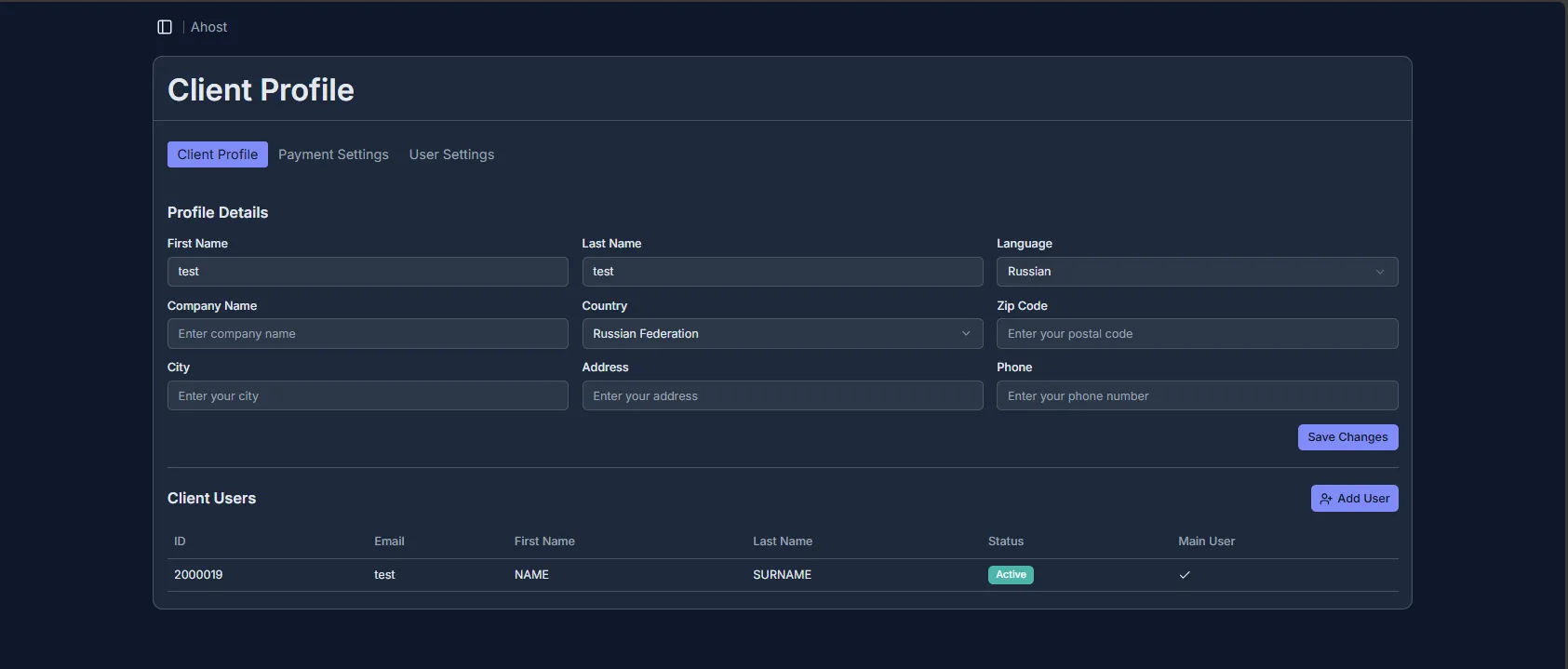
- User settings
- User data: First name, Last name – enter accurate information; Language – choose your preferred billing interface language.
- Change password: in the “Current password” field, enter your current login details; in the “Password” field, enter a new password according to billing requirements; in the “Confirm password” field, manually enter the new password again. Confirm the password change by clicking the “Change password” button.
- Change E-mail: in the “New E-mail address” field, enter your valid email address where AHOST notifications will be sent. In the new field for the confirmation code, enter the code sent to your new email address and confirm the changes by clicking the corresponding button. If the email with the code has not arrived, check your Spam folder or request a new message with another code.
- Notification settings: the options in this block control the alerts sent to your email inbox. Specifically:
- General notifications – system alerts and reminders;
- Product updates – information about new products and changes;
- Invoices and payments – notifications about issued invoices, balance, and payments;
- Support tickets – notifications about changes in your AHOST support chats;
- Marketing messages – promotional offers;
- News and announcements – AHOST events, updates, and promotions. After choosing the necessary categories, confirm the changes with the corresponding button in this block.